In this article we’ll describe how to purchase SMS Credit. Note: You must have the SMS Admin role to purchase SMS Credit. You can also setup automatic purchasing of SMS Credit.
Purchase SMS Credit
After logging into the app, click the SMS Credits button at the top right corner of the screen.
The SMS Admin screen will open.
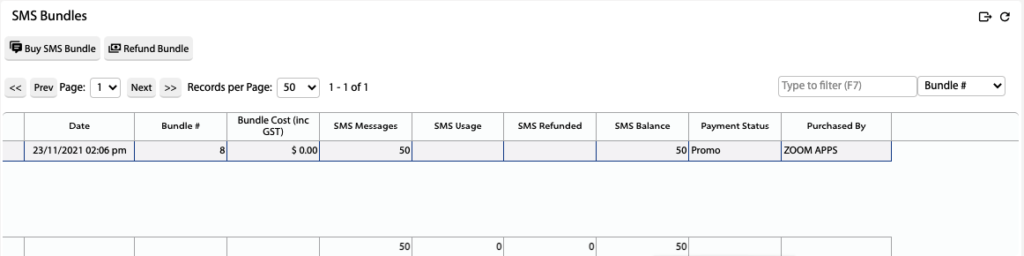
Scroll down to the SMS Bundles grid.
Click Buy SMS Bundle.
Select the SMS Bundle to apply to your account.
The SMS Bundle price will automatically be direct debited from your nominated bank account.
 Added in Version 0.28