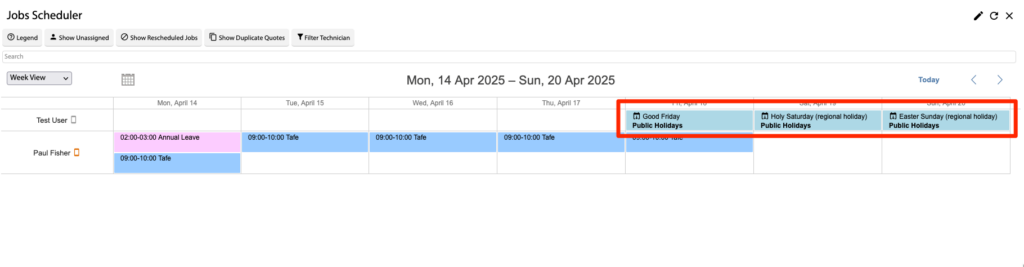
In this article we’ll describe how to configure Scheduler Calendar Integration via User Calendars. This is useful for seeing a Users whole calendar to help with scheduling Quotes/Jobs.
Configure User Calendars
Open the Main Menu and scroll down to Configure.
Click Users.
Open the User Card.
Click User Calendars.
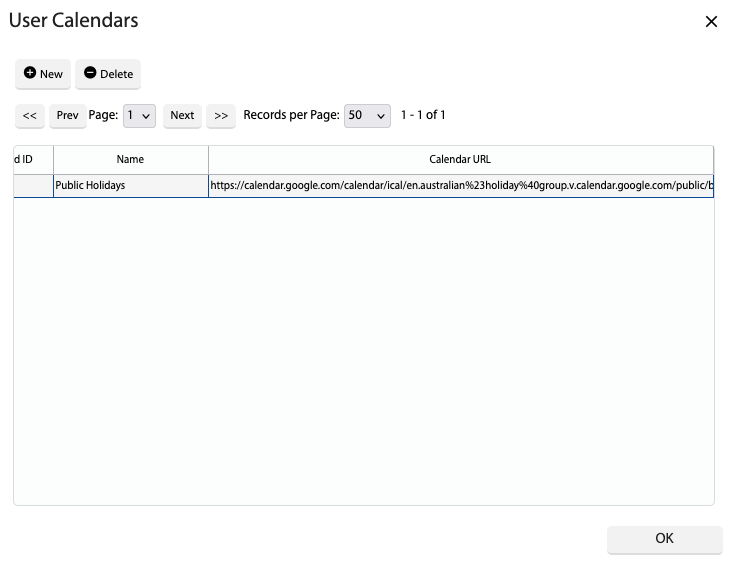
Click New and input the following fields:
Name – Calendar Name. This will appear on tool tips in the Sales/Job/Admin Scheduler.
Calendar URL – Public calendar URL link. Must be in ICAL format
NOTE: The system will automatically import calendar events every 30 minutes.
 Added in Version 0.39